Permissions
Control who can access the exporter
How It Works
The plugin uses a custom WordPress capability called depregatto_export_orders. Any user who has this capability can access the exporter — create exports, download files, manage schedules, and use presets.
Default Access
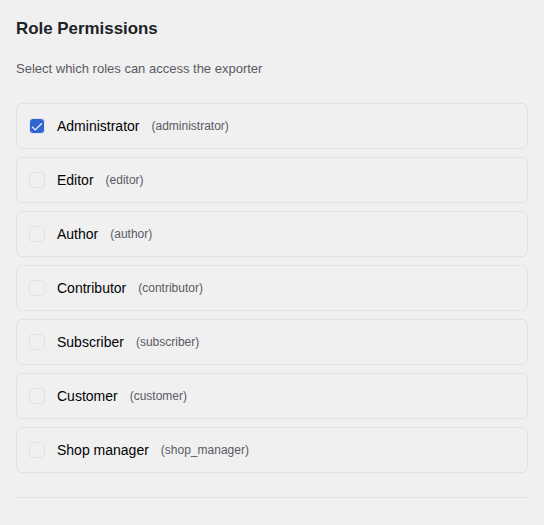
When the plugin is activated, only administrators have the depregatto_export_orders capability. No other roles can see or use the exporter until you explicitly grant them access.
Granting Access
Go to the Settings tab and find the Role Permissions section. A list of all user roles on your site is shown. Check the box next to any role — such as Editor, Shop Manager, or a custom role — to grant that role access to the exporter. Uncheck to remove access.
Settings Access
The Settings tab itself — including the permissions management panel and notification settings — is restricted to administrators only. It requires the standard WordPress manage_options capability. Non-administrator users who have been granted export access can use the exporter but cannot change its settings.