Export Formats
Export to CSV, TSV, or XLSX with custom settings.
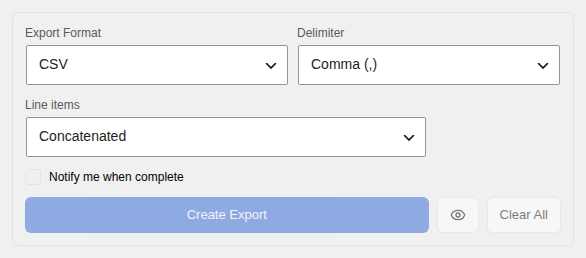
Formats
Choose the file format that best suits how you plan to use your export data:
- CSV — Comma-separated values. A plain text file that opens in almost any spreadsheet application or data tool.
- TSV — Tab-separated values. Similar to CSV but uses a tab character between fields instead of a comma.
- XLSX — Excel spreadsheet format. Opens directly in Microsoft Excel or Google Sheets with full formatting.
CSV Options
When exporting as CSV, you can configure two additional settings:
- Delimiter — The character used to separate fields. Choose from comma (
,), semicolon (;), or pipe (|). Some countries use semicolons by default in Excel, so changing this can prevent import issues. - UTF-8 BOM — A special marker added to the start of the file. Enable this if your CSV opens with garbled characters in Excel, particularly when your data includes accented letters or non-Latin characters.
When to Use What
- CSV — Best for general use: importing into other software, CRMs, email marketing tools, or data analysis programs.
- TSV — Useful when your order data contains commas (for example, product names or addresses with commas), which would otherwise break a standard CSV file.
- XLSX — Best when you want to open the file directly in Excel or Google Sheets and keep formatting intact, including special characters and number formatting.