Custom Meta Columns
Export any WooCommerce order meta field
What Is Order Meta
WooCommerce stores extra data on orders as meta fields. Plugins you use may add custom fields to orders — for example, a shipping plugin might store a tracking number, or a custom checkout plugin might save additional fields filled in by the customer. All of this extra data is accessible through custom meta columns.
Adding Meta Columns
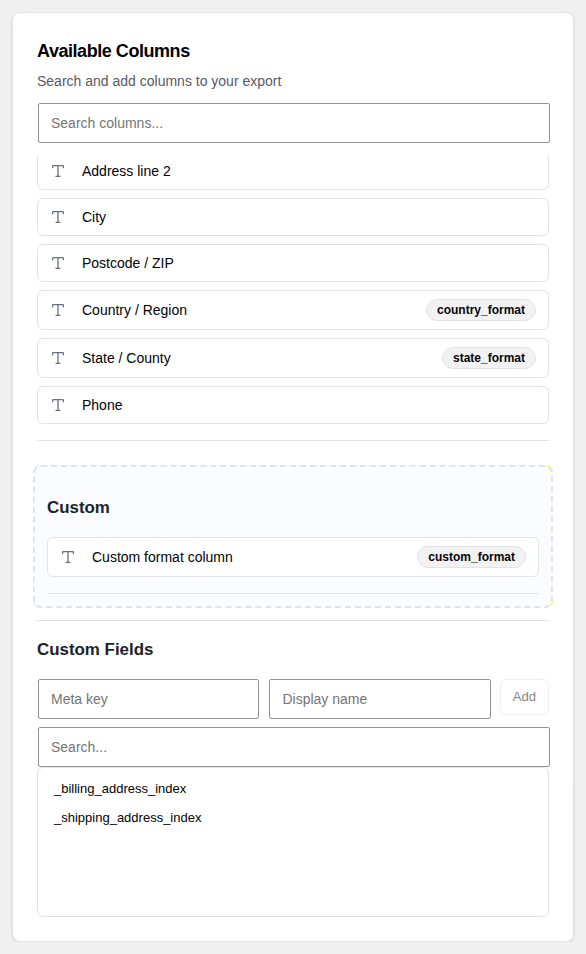
In the Create tab, scroll down past the standard columns to find the "Custom Meta" section. Click "Discover Meta Keys" to scan your orders. The plugin will look through your order data and build a list of every meta key it finds.
Once the scan is complete, a searchable list appears showing all available meta keys. Check the ones you want to include in your export.
Display Name
Each custom meta column gets a display name, which becomes the column header in your export file. By default the display name is set to the meta key itself (for example, _tracking_number). You can edit this to something more readable, like "Tracking Number", before running the export.
Search
If your store has many plugins installed, you may end up with hundreds of meta keys. Use the search box above the meta key list to filter by name and quickly find the fields you need.