Column Selection
Choose exactly which data to include in your export.
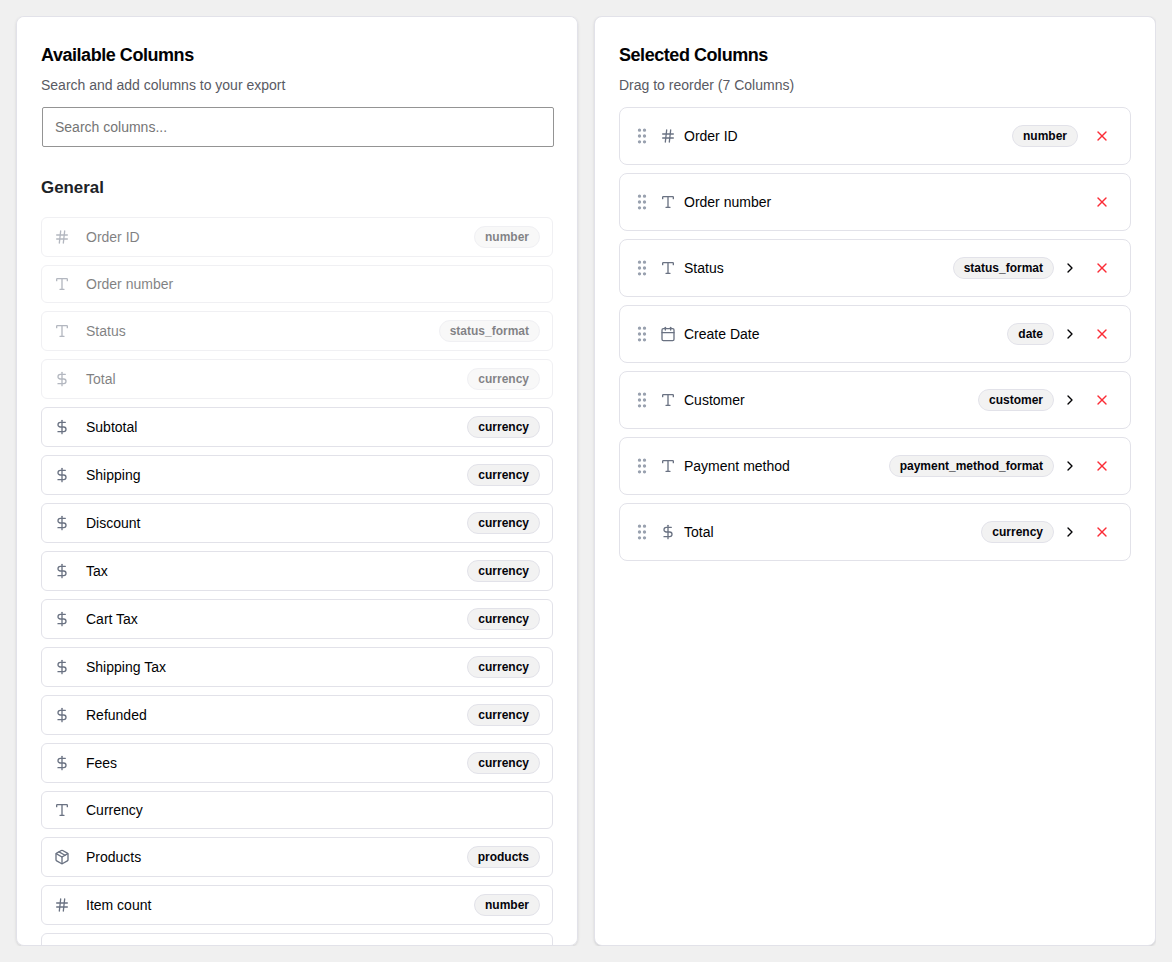
Available Columns
The center panel of the Create tab shows every column you can export. Columns are grouped into categories to make them easy to find:
- General — Order ID, date, status, total, currency, and similar order-level fields
- Billing — Customer name, email, phone, and billing address
- Shipping — Shipping name and address fields
- Other — Payment method, shipping method, notes, coupons, and more
Click any column name to add it to your export. Added columns move to the right panel.
Selected Columns
The right panel shows the columns you have chosen, in the order they will appear in your export file.
- Reorder — Drag a column up or down using the grip handle on the left to change its position.
- Remove — Click the X button on the right to remove a column from your selection.
Column Options
Many columns have extra settings you can configure. When a column supports options, a gear icon appears next to it in the right panel.
Click the gear icon to expand the options panel for that column. Depending on the column, you may be able to set things like the date format, currency display, or how empty values are handled.
See the Column Formatting page for a full description of available options.
Custom Meta Columns
If you collect extra data on your orders through other plugins or custom fields, you can add those fields as columns too. See the Custom Meta Columns page for details.